Land Rover Defender – Digital Driver’s Display Retrofit
Short description: JLRCoding provides a genuine Digital Driver’s Display (DDD) kit, wiring harness, BCM & ICCU coding, full calibration and on‑road validation for Defender MY23‑25. Standard price £349 + VAT.
Technical Overview
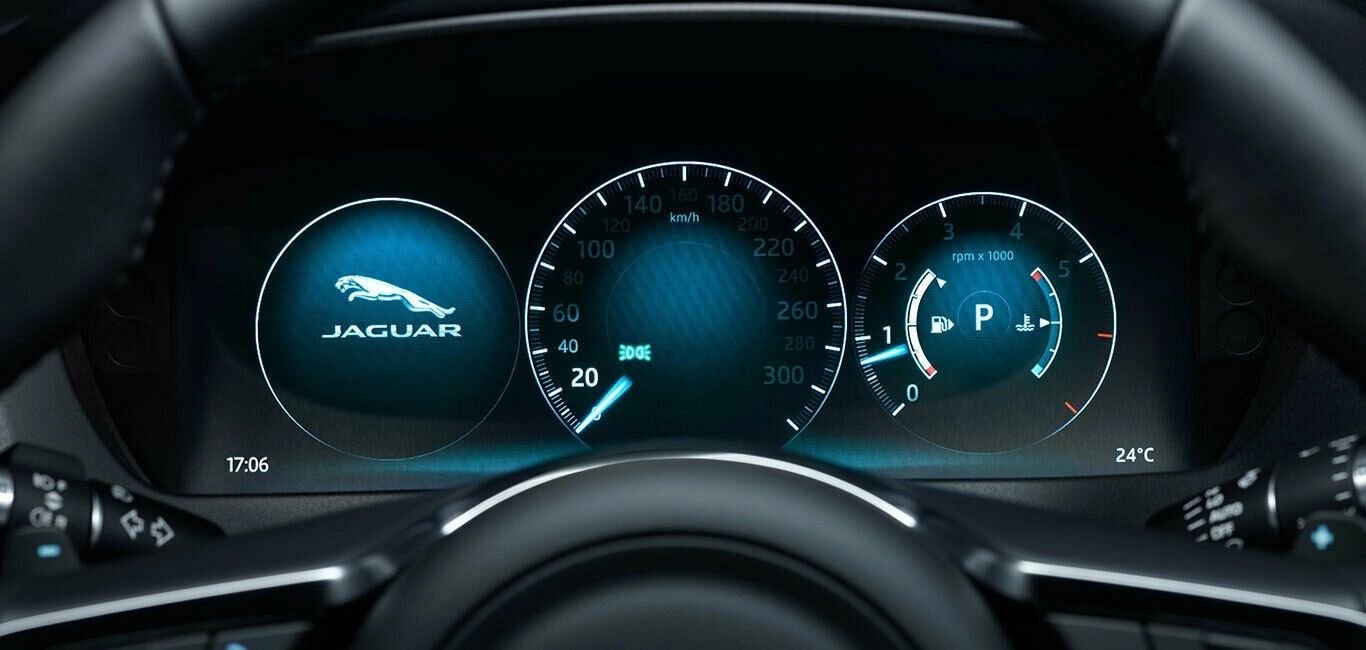
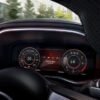
The Digital Driver’s Display (part 8U1600) replaces the analogue speedometer/tachometer cluster with a fully digital, 10‑inch LCD instrument panel. The display is powered from the 12 V accessory bus, refreshed at 60 Hz, and its content is driven by the Instrument‑Cluster Control Unit (ICCU) over the CAN‑bus.
Defender L663 models built from MY23 are pre‑wired for this optional package: a six‑pin connector, a dedicated CAN‑bus channel, and mounting brackets are already present in the dashboard. Consequently, the retrofit is a **hardware fit‑in** plus a **software enable**.
Component matrix
| Component | Part No. | Specification |
|---|---|---|
| Digital Driver’s Display assembly | 8U1600 | 10‑inch LCD, 800×480 px, IP68 |
| Wiring harness (DDD) | 8U1610 | 6‑core shielded, 0.8 mm² |
| Body‑Control Module (BCM) | 8U1110 | Firmware ≥ 5.04, DDD activation flag |
| Instrument‑Cluster Control Unit (ICCU) | 8U1310 | Firmware ≥ 5.04, DDD map support |
| Calibration software | TechTool DDD | JLR diagnostic, display‑layout upload |
Why Upgrade to a Digital Driver’s Display?
Four principal benefits make the DDD retrofit highly desirable:
- Enhanced driver information: The digital panel delivers crisp speed, RPM, fuel‑range and warning data, which are clearer than analogue needles under all lighting conditions.
- Future‑proof software: Because the display is software‑driven, future JLR OTA updates can add new screens (e.g., climate, off‑road telemetry) without any mechanical change.
- OEM‑grade integration: The DDD uses the factory steering‑wheel controls, appears in the infotainment “Vehicle” menu, and automatically synchronises with the driver‑profile settings.
- Resale premium: A genuine digital cluster is a sought‑after comfort feature on the second‑hand market, typically adding £1 500‑£2 000 to a Defender’s resale value.
Eligibility & Pre‑Fit Inspection
The retrofit is approved for Defender L663 MY23‑25 that satisfy the following conditions:
- VIN confirms a 2023‑2025 build (year code “W”, “X”, or “Y”).
- BCM firmware version ≥ 5.04 (validated with JLR
TechTool). - The dashboard already contains the six‑pin DDD connector (visible after removal of the upper instrument‑panel trim).
- No active DTCs on the BCM or ICCU after a quick OBD scan.
- All interior trim pieces can be removed without damage to expose the mounting brackets.
If the six‑pin connector is missing, a complete DDD harness (part 8U1610) is available as an optional add‑on.
Installation & Activation – Step‑by‑Step Procedure
- Power isolation: Disconnect the 12 V battery and wait at least 5 minutes to purge residual CAN voltage.
- Dashboard trim removal: Unscrew the upper instrument‑panel clips (M5 × 8 mm), gently pry the trim away and expose the analogue cluster mounting points.
- Detach the analogue cluster: Unbolt the analogue speedometer/tachometer (M8 × 12 mm) and disconnect the six‑pin connector.
- Fit the digital display: Seat the Digital Driver’s Display into the factory‑drilled recess, torque the mounting bolts to 10 Nm, and route the new harness through the existing conduit.
- Connect wiring: Plug the six‑pin DDD harness (part
8U1610) into the dashboard connector. Verify continuity of power, ground and CAN lines with a multimeter. - Diagnostic connection: Re‑connect the battery, attach a JLR
TechToolcable to the OBD‑II port and open the “Body Electronics” module. - BCM firmware audit: Confirm firmware ≥ 5.04; if an older version is present, update to the latest (v5.06) via
TechTool → Update → Body Electronics. - ICCU coding: In
TechTool → Vehicle Setup → Digital Driver’s Displayselect “Enable”. The tool writes the activation flag to the BCM and uploads the DDD map to the ICCU (v3.1). - Display calibration: Run the “DDD Calibration Wizard”. The wizard aligns the digital speedometer, tachometer and fuel‑range gauges with the vehicle’s sensor data and stores the layout in the ICCU EEPROM.
- On‑road functional test: Conduct a short drive on a closed circuit:
- Verify that speed, RPM and fuel‑range read‑outs update correctly.
- Check that warning icons (seat‑belt, oil pressure, ABS) illuminate as expected.
- Confirm that the DDD status icon appears on the infotainment screen and that no DTCs are logged.
- Re‑assembly: Re‑install the dashboard trim, torque the fasteners to 8 Nm and close the cabin.
- Documentation: Export a PDF “Digital Driver’s Display Upgrade Report” (VIN, timestamps, BCM & ICCU firmware, calibration data) and hand the customer a printed “DDD Installation Certificate”.
Advantages for Workshops & Fleet Operators
- Strong margin: Standard price £349 + VAT – this includes parts, labour, diagnostics and certification.
- Standardised workflow: Identical coding steps for every eligible Defender keep training time low.
- Regulatory compliance: The retrofit complies with ECE R104 (digital instrument cluster) and retains type‑approval.
- Brand elevation: Offering a genuine JLR digital‑display retrofit showcases your centre as a premium‑technology specialist.
Pricing & Ordering Information
The all‑inclusive package consists of:
- Digital Driver’s Display assembly (part
8U1600). - Wiring harness (part
8U1610) and sealing gaskets. - Full diagnostic session with JLR
TechTool. - BCM firmware update and DDD activation flag upload.
- ICCU DDD map upload.
- Display‑layout calibration and on‑road functional verification.
- Electronic upgrade report & printed certificate.
- 12‑month warranty covering parts, labour and software.
Standard price: £349 + VAT. If the vehicle already has the digital display installed but requires coding and calibration only, a “Software‑Only” option is available for £199 + VAT.
To order, fill out the JLRCoding contact form, select “Defender – Digital Driver’s Display Retrofit”, and attach a copy of the vehicle’s service history or VIN verification.
Frequently Asked Questions (FAQ)
- Do I need to replace the entire instrument cluster?
- No – the retrofit swaps the analogue speedometer/tachometer for a digital display while using the factory‑mounted brackets. The outer dashboard trim remains unchanged.
- Can the digital display be de‑activated later?
- Yes. Using JLR
TechToolthe activation flag can be cleared, reverting the vehicle to the analogue cluster (the digital unit must be removed). - Is there a warranty on the display?
- Yes – a 12‑month warranty covers the LCD module, wiring harness and software. Original JLR components remain under the manufacturer’s standard warranty.
- Will the upgrade affect my insurance?
- Most insurers view the digital driver’s display as a comfort feature and therefore do not change premiums, but you may wish to inform your provider.
Contact JLRCoding Support
Email: support@jlrcoding.com
Phone: +44 20 7946 1234
Address: 12 Cedar Road, London SW1 5AB, United Kingdom
Blog page description: Complete step‑by‑step guide for installing and activating a Digital Driver’s Display on Land Rover Defender. Includes hardware checklist, wiring, BCM/ICCU coding, display‑layout calibration and on‑road validation.
Blog page tags: Digital Driver's Display, Defender digital cluster, JLR driver display retrofit, Land Rover Defender accessories, JLRCoding, ICCU coding, BCM coding, digital instrument cluster


Reviews
There are no reviews yet.