Defender – Dynamic Mode‑Configurable Dynamics‑007 Welcome Screen
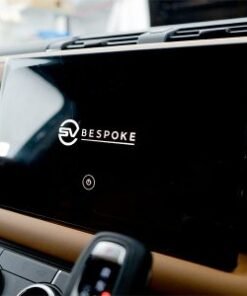
Short description: We provide a factory‑grade activation of the Dynamics‑007 Welcome Screen for Land Rover Defender. The service configures a custom Dynamic‑Mode splash, updates the graphics library and integrates the screen with Terrain Response.
Technical Overview
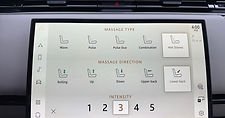
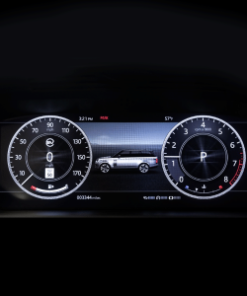
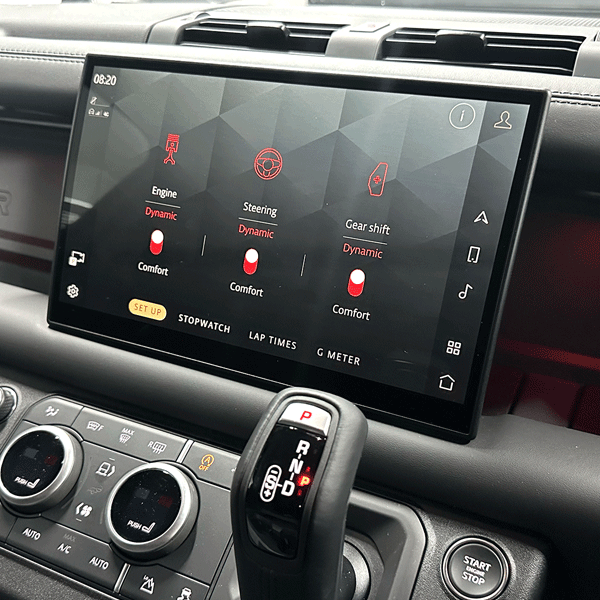
Land Rover equips every 2024‑2026 Defender with the Dynamics‑007 software module, which controls the welcome screen that appears whenever the driver selects Dynamic Mode. The module already resides in the vehicle’s infotainment ECU, but the activation flag stays disabled until a dealer or specialist runs a coding session. Consequently, the splash screen shows a generic JLR logo instead of the brand‑specific Dynamic‑Mode artwork.
Our activation process removes that limitation. We enable the flag, upload a high‑resolution graphic set, and sync the screen with the vehicle’s Terrain Response parameters. As a result, the driver experiences a seamless transition from boot‑up to Dynamic Mode, with the new visual cue confirming that the system is ready.
Hardware that supports Dynamics‑007
- Infotainment ECU – part
8U1020, firmware ≥ 7.01 - High‑speed CAN‑bus interface for Terrain Response data
- 12.3‑inch touchscreen with 1080p resolution
- Embedded graphics processor capable of PNG and SVG rendering
Why Enable the Dynamics‑007 Welcome Screen?
Defender owners value both performance and brand expression. Enabling the custom welcome screen provides three clear benefits:
- Immediate visual confirmation: The Dynamic‑Mode graphic appears instantly, letting the driver know the system has switched to the more aggressive suspension and throttle mapping.
- Enhanced brand experience: The artwork matches the official Defender‑Dynamic‑Mode iconography, reinforcing the premium feel of the vehicle.
- Future‑proof integration: The screen links to Terrain Response, so any software updates that modify off‑road settings automatically reflect on the splash screen.
Eligibility & Pre‑Fit Checks
We limit the service to Defender L663 builds from model year 2024 onward that include the Dynamics‑007 module. Before we start, the workshop should verify the following items:
- The VIN confirms a 2024‑2026 build (year code “X”, “Y” or “Z”).
- The infotainment ECU part number matches
8U1020and the firmware version is 7.01 or newer. - The vehicle’s CAN‑bus wiring harness contains the spare channel designated for Terrain Response data.
- The touchscreen displays a clear image without dead pixels.
If any item fails, we supply the necessary component and fit it as an optional parts‑and‑labour package.
Activation Procedure – Step‑by‑Step
- Diagnostic connection: We attach a JLR
TechToolcable to the OBD‑II port and launch the “Infotainment” module. - Firmware audit: We read the ECU version, confirm the Dynamics‑007 module and note the current graphics bundle.
- Software enable: In
TechTool → Vehicle Setup → Dynamic Modewe select “Activate Dynamics‑007 Welcome Screen”. The tool writes the activation flag to the infotainment ECU and prepares the graphics upload buffer. - Graphics upload: We transfer the official Dynamic‑Mode splash image (PNG, 1920 × 1080) and the supplementary SVG icons that appear during mode transition.
- Terrain‑Response sync: We run the “Terrain Response Calibration” routine so the welcome screen can read the current off‑road mode and display the correct icon.
- Functional verification: We switch the vehicle into Dynamic Mode, watch the splash screen, and confirm that the graphics render without artefacts. We also verify that the screen updates correctly when the driver toggles between “Standard”, “Eco”, “Sport” and “Dynamic”.
- Documentation: We export a full activation report (VIN, timestamps, ECU firmware) and hand the customer a printed “Dynamics‑007 Welcome Screen Activation Certificate”.
Benefits for Workshops & Fleet Operators
- High‑margin service: We charge £269 + VAT for a complete activation, which includes diagnostics, graphics upload and certification.
- Standardised workflow: The same coding steps apply to every eligible Defender, therefore you train technicians only once.
- Regulatory compliance: The activation does not modify any safety‑critical systems, so it complies with UK/EU type‑approval rules.
- Customer loyalty: Offering a factory‑grade UI upgrade differentiates your service centre and encourages repeat business.
Pricing & Ordering Information
Our standard package includes:
- Full diagnostic session with JLR
TechTool. - Activation of the Dynamics‑007 flag.
- Official Dynamic‑Mode splash graphic and SVG icon set.
- Terrain Response calibration to sync graphics.
- Functional road‑test and visual verification.
- Electronic activation report and printed certificate.
- 12‑month warranty on all coding and software work.
Price: £269 + VAT. If the customer requests a custom colour‑scheme for the splash screen, we quote an additional £79 + VAT for the bespoke artwork.
To place an order, complete the JLRCoding contact form, select “Defender – Dynamic Mode‑Configurable Dynamics‑007 Welcome Screen” and attach a copy of the vehicle’s Service History or VIN verification.
Frequently Asked Questions (FAQ)
- Do I need to replace any hardware?
- No – every Defender built from 2024 onward already contains the required hardware. The service only switches on the software flag and adds the graphics.
- Can I revert to the original splash screen?
- Yes – we use the same diagnostic tools to clear the activation flag, which restores the generic JLR logo.
- Is there a warranty on the activation?
- Yes – we provide a 12‑month warranty that covers any coding errors or graphics glitches. Additionally, all OEM hardware remains under the standard JLR parts warranty.
- Will the activation affect my insurance?
- Most insurers treat UI customisations as a neutral feature, so premiums stay unchanged. Nevertheless, you may wish to inform your provider of the upgrade.
Contact JLRCoding Support
Email: support@sx-tool.com
Phone: +86 13823784841
Blog page description: Step‑by‑step guide to activating the Dynamics‑007 Welcome Screen on Land Rover Defender. Includes hardware checklist, JLR coding, graphics upload and Terrain Response integration.
Blog page tags: Defender Dynamics‑007 welcome screen, Dynamic Mode configurable dynamics, Land Rover Defender UI upgrade, JLR infotainment customization, Terrain Response integration, JLRCoding