-
×
 2-in-1 CCF Tools 4.6 & 4.8 Bundle
1 × $209.00
2-in-1 CCF Tools 4.6 & 4.8 Bundle
1 × $209.00 -
×
 2022 Land Rover Range Rover US to European Map Conversion
1 × $368.00
2022 Land Rover Range Rover US to European Map Conversion
1 × $368.00 -
×
 2025 Land Rover Navigation Map Update(USB) - InControl Touch Pro
1 × $349.00
2025 Land Rover Navigation Map Update(USB) - InControl Touch Pro
1 × $349.00


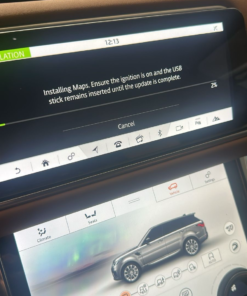
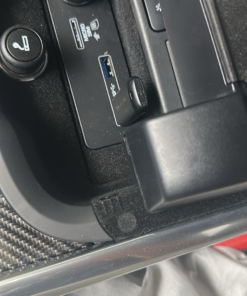
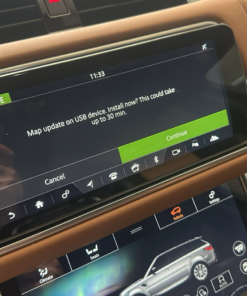
Product Overview
Land Rover vehicles sold in the Middle‑East use a region‑specific map set that differs from the European version. When a vehicle’s IMC host files contain the wrong region code, the navigation system may display inaccurate POIs, wrong road‑sign conventions, or an incomplete map coverage.
The Land Rover IMC Host Changes package replaces the host file with an OEM‑approved version that points the infotainment system to the correct map database. Technicians apply the change with the SX‑Tool (the official JLR diagnostic interface for infotainment updates).
Technical Background
The IMC manages media playback, navigation data, and the communication bridge between the head‑unit and external map servers. Its host file includes a region identifier and a list of approved map packages. Updating this file does not alter any hardware; it merely switches the software reference to the Middle‑East map bundle.
JLR stores the host file in a protected partition of the IMC flash memory. The SX‑Tool writes the new file, updates the checksum, and triggers a reboot of the infotainment control unit (ICU). After the reboot the ICU reads the new host, loads the correct map database, and presents regional‑accurate navigation data.
Key Features
- OEM‑approved IMC host file for the Middle‑East region
- Compatible with Land Rover models equipped with the InControl Touch‑2/ Premium infotainment platform
- Installation performed via SX‑Tool (official JLR diagnostic software)
- Preserves factory warranty when applied by a certified dealer or workshop
- Includes a step‑by‑step PDF guide, checksum verification file and a compatibility matrix
- Updates navigation POIs, road‑sign symbols, and language settings for Saudi Arabia, UAE, Qatar, Kuwait, Oman and Bahrain
Why Update the IMC Host?
Owners who travel across the Gulf region expect accurate navigation instructions. An incorrect host file can cause missed turns, wrong speed‑limit alerts, and missing points‑of‑interest. The upgrade guarantees that the navigation engine draws from the correct map set, which improves driver confidence and reduces customer complaints.
From a service‑center perspective, offering the region‑map update adds a high‑margin, low‑effort accessory. Technicians complete the task in under 30 minutes, and the upgrade does not require any physical parts—only a software licence.
Installation Checklist (SX‑Tool)
- Verify that the vehicle’s IMC firmware is version 3.2 or newer (see the compatibility matrix).
- Connect the SX‑Tool cable to the OBD‑II port and launch the SX‑Tool application.
- Select Infotainment → IMC Host Update and load the file
IMC_Host_MiddleEast_v1.0.binsupplied with the purchase. - Confirm the checksum displayed by SX‑Tool matches the reference value in the PDF guide.
- Press Write and wait for the tool to complete the flashing process (≈ 1 minute).
- When the tool reports success, reboot the vehicle’s infotainment system (turn the ignition off for 10 seconds, then restart).
- Open the navigation app, select a route, and verify that POIs and road‑signs appear in Arabic/English as expected.
If the verification step fails, re‑run the checksum comparison or contact JLR technical support with the error code displayed by SX‑Tool.
Who Should Use This Upgrade
- Land Rover dealerships that service models sold in Saudi Arabia, UAE, Qatar, Kuwait, Oman or Bahrain.
- Independent workshops equipped with SX‑Tool and certified to perform JLR infotainment coding.
- Fleet managers who need regional map consistency across multiple vehicles.
- Owners of eligible Land Rover vehicles who have purchased the update directly from an authorized reseller.
Product Benefits
The package delivers a ready‑to‑install host file, eliminating the need for custom hacking. Technicians follow a documented, repeatable process that keeps the vehicle’s warranty intact. End‑users gain accurate navigation, localized POIs, and compliance with regional traffic‑sign standards.
Product Details
- Product Name: Land Rover IMC Host Changes – Middle‑East Region Map Update (SX‑Tool)
- Category: Infotainment software upgrade
- Brand: JLR‑compatible (OEM style)
- Supported Models: Land Rover Discovery, Discovery Sport, Range Rover, Range Rover Sport, Evoque (2016‑2024) equipped with InControl Touch‑2/ Premium
- Delivery: Digital host file + PDF guide (download after purchase)
- Required Tool: SX‑Tool (JLR diagnostic interface) or any compatible JLR OTA software with host‑write capability
SEO Short Description
Land Rover IMC Host Changes – Middle‑East Region Map Update (SX‑Tool) unlocks correct navigation maps for Gulf‑region vehicles. OEM‑approved, warranty‑safe and ready for dealer or workshop installation.
Yoast SEO Setup
- SEO Title: Land Rover IMC Host Changes – Middle‑East Map Update (SX‑Tool) | JLR CODING
- Slug: land-rover-imc-host-middle-east-sx-tool
- Meta Description: Buy Land Rover IMC Host Changes for Middle‑East region map updates using SX‑Tool. Technical guide, compatibility matrix, step‑by‑step SX‑Tool procedure and secure ordering – perfect for dealers and workshops.
- Focus Keyphrase: Land Rover IMC Host Changes Middle East SX‑Tool
- Short Description: Land Rover IMC Host Changes – Middle‑East Region Map Update (SX‑Tool) unlocks correct navigation maps for Gulf‑region vehicles. OEM‑approved, warranty‑safe and ready for dealer or workshop installation.
- Blog Page Tags: Land Rover IMC host, Middle East map update, SX‑Tool, JLR infotainment upgrade, navigation region coding, JLR map calibration, Land Rover software update, JLR technical guide, SX‑Tool procedure
FAQ
Do I need to replace any hardware?
No. The update only rewrites the IMC host file; the infotainment hardware stays unchanged.
Will the upgrade void my vehicle warranty?
When a certified dealer or workshop performs the change with SX‑Tool, the warranty remains intact.
Which vehicles are eligible?
All Land Rover models built from 2016‑2024 that use the InControl Touch‑2 or InControl Premium infotainment platform and have IMC firmware ≥ 3.2.
Can I apply the update myself?
You need an SX‑Tool cable and the official SX‑Tool software. If you own those tools and understand JLR coding, you can perform the update, but we recommend a certified technician for warranty safety.
What languages does the map support after the update?
The Middle‑East host loads Arabic and English language packs, along with region‑specific road‑sign symbols.