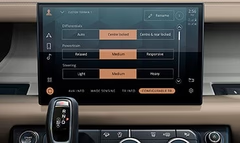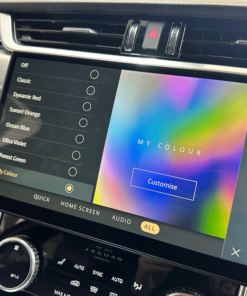
Product Overview
Jaguar Land Rover introduced CarPlay and Android Auto as optional services on many recent models. In some markets the licence is sold as a separate activation code. The JLR CarPlay Android Activation Upgrade supplies the exact OEM‑approved activation key and associated calibration data that the vehicle’s infotainment controller requires to enable the services.
Because the upgrade lives on the vehicle’s ECU rather than on an external dongle, the integration runs natively, offering full‑screen display, voice control, and seamless hand‑off between the vehicle and the driver’s smartphone.
Technical Application
Technicians install the upgrade by loading the activation file into the vehicle’s infotainment control unit (ICU) via the JLR‑approved diagnostic tool (e.g., Jaguar Land Rover Techstream). The process writes a secure licence block to the ECU’s non‑volatile memory and updates the infotainment software catalogue to expose CarPlay and Android Auto menus.
The activation does **not** replace any hardware. It merely unlocks software that already exists in the factory‑installed infotainment system, so the procedure preserves warranty compliance when performed by an authorised dealer or a certified workshop.
Key Features
- OEM‑approved activation key for Apple CarPlay and Android Auto
- Works with JLR infotainment platforms (InControl Touch™ & InControl Premium)
- Full‑screen smartphone mirroring, voice‑command, and navigation integration
- Installation via standard JLR diagnostic software (Techstream/IDS)
- Maintains factory warranty when applied by certified personnel
- Applicable to most 2016‑2024 Jaguar Land Rover models
- Technical documentation and coding instructions included
Why Activate CarPlay/Android Auto?
Drivers increasingly rely on their mobile devices for navigation, music, and hands‑free communication. Enabling CarPlay or Android Auto gives them a familiar, safe interface that reduces distraction and complies with local road‑safety regulations. From a service‑center perspective, offering the activation as an upgrade expands the dealership’s accessory portfolio and generates additional revenue.
In addition, the activation aligns the vehicle’s software inventory with OEM specifications, which simplifies future OTA updates and diagnostic sessions.
Compatibility & Installation Checklist
- Confirm vehicle model year and infotainment version (InControl Touch 2.0 or newer).
- Verify that the ECU firmware level is ≥ 3.0 (or the level specified in the supplied compatibility matrix).
- Connect a certified JLR diagnostic interface (Techstream, IDS, or VCI).
- Load the activation file (provided as a .act or .s19 file) and follow the on‑screen prompts.
- Reboot the infotainment unit and confirm the appearance of “Apple CarPlay” and “Android Auto” icons in the main menu.
- Run a brief functional test (pair a smartphone, launch a supported app, verify audio output).
Who Should Use This Upgrade
- Jaguar Land Rover dealerships adding a high‑margin accessory service.
- Independent workshops that specialise in JLR diagnostics and coding.
- Owners of eligible JLR models who want native smartphone integration.
- Fleet managers looking to standardise infotainment across multiple vehicles.
Product Benefits
By supplying an OEM‑validated activation, the upgrade eliminates the risk of unofficial hacks that could invalidate the warranty. Technicians gain a repeatable, documented process that integrates cleanly into the standard service workflow. End‑users receive an immediate, seamless link between their phone and vehicle, improving convenience and safety on the road.
Product Details
- Product Name: JLR CarPlay Android Activation Upgrade
- Category: Infotainment software activation
- Brand: JLR‑compatible / OEM
- Supported Models: Most Jaguar Land Rover vehicles (2016‑2024) with InControl Touch/ Premium
- Delivery: Digital activation file + PDF coding guide (download after purchase)
- Installation Requirement: JLR Techstream or IDS access
SEO Short Description
JLR CarPlay Android Activation Upgrade unlocks native Apple CarPlay and Android Auto on compatible Jaguar Land Rover infotainment units – OEM‑approved, warranty‑safe, and ready for dealer or workshop installation.
Yoast SEO Setup
- SEO Title: JLR CarPlay Android Activation Upgrade | Jaguar Land Rover Infotainment Upgrade
- Slug: jlr-carplay-android-activation-upgrade
- Meta Description: Buy JLR CarPlay Android Activation Upgrade for Jaguar Land Rover vehicles. Technical guide, compatibility chart, installation steps and secure ordering – perfect for dealers and workshops.
- Focus Keyphrase: JLR CarPlay Android Activation Upgrade
- Short Description: JLR CarPlay Android Activation Upgrade unlocks native Apple CarPlay and Android Auto on compatible Jaguar Land Rover infotainment units – OEM‑approved, warranty‑safe, and ready for dealer or workshop installation.
- Blog Page Tags: JLR CarPlay, Android Auto activation, Jaguar Land Rover infotainment, CarPlay retrofit, Android Auto retrofit, JLR coding, smartphone integration, OTA update, JLR accessory upgrade
FAQ
Do I need new hardware to use CarPlay or Android Auto?
No. The activation unlocks software that already exists in the factory‑installed infotainment unit.
Will the activation void my vehicle warranty?
When performed with the official JLR diagnostic tool by a certified technician, the upgrade does not affect the warranty.
Which models are eligible?
Most Jaguar Land Rover models built between 2016 and 2024 that feature InControl Touch 2.0 or newer. A compatibility matrix is included with the purchase.
Can I install the upgrade myself?
The activation requires a JLR‑approved diagnostic interface and software. If you have the necessary tools and access, you can perform the procedure, but we recommend a dealership or certified workshop for warranty safety.