1. What the tool actually does
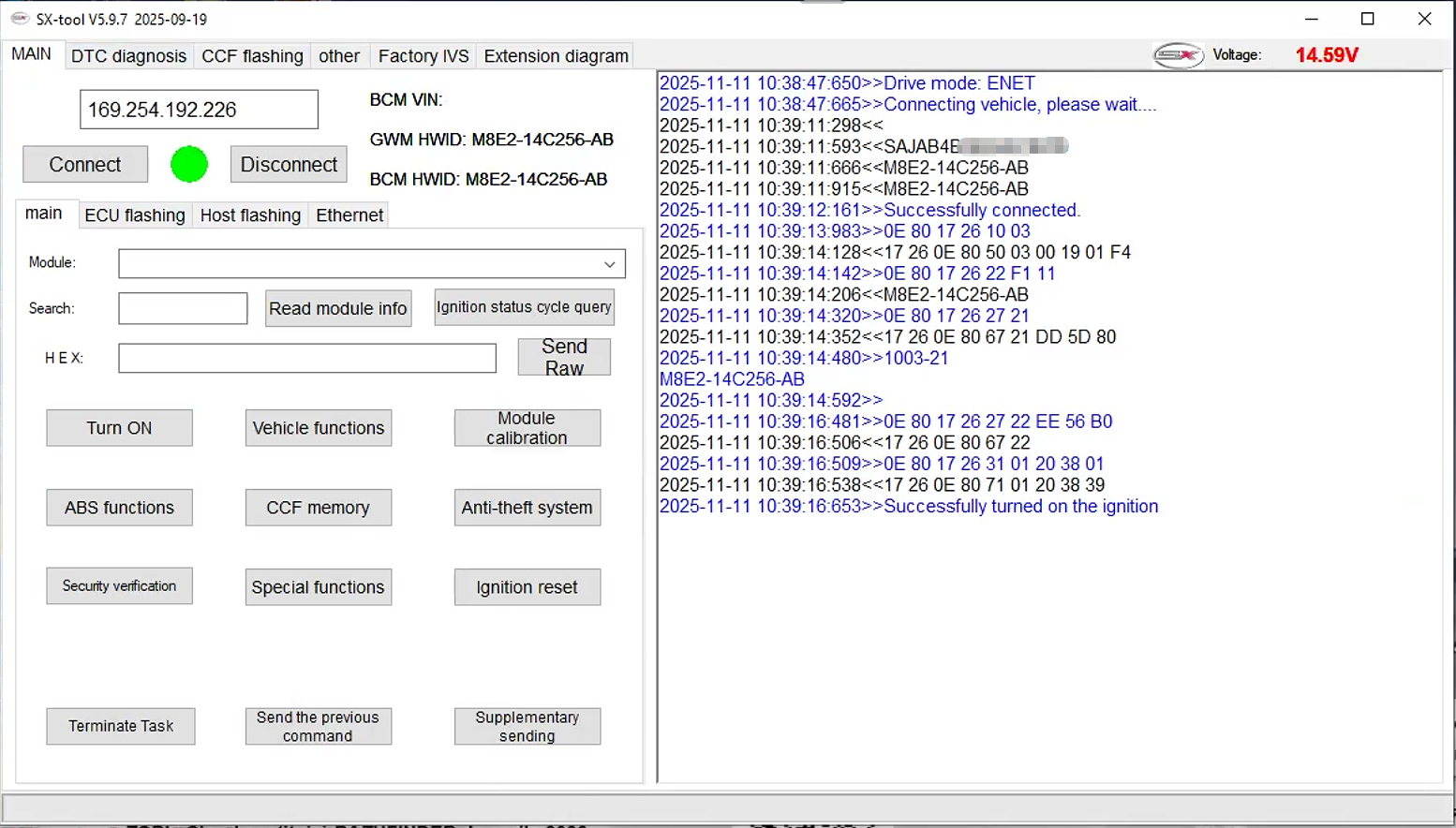
First, the software enables comprehensive coding and programming for JLR vehicles that use the DOIP protocol. Consequently, technicians can perform tasks that normally require a proprietary VCI. Moreover, the tool provides editors for both CCF (Calibration Configuration File) and VBF (Vehicle Build File) up to 2024.
2. Demo license characteristics
The demo version offers all premium features, however it is restricted to a single VIN and expires after 72 hours. Therefore, it is ideal for brief evaluations or proving‑of‑concept work. In addition, the license is issued instantly once the payment is confirmed, which speeds up the onboarding process.
3. Vehicle coverage range
According to the documentation:
| Model‑year range | Remarks |
|---|---|
| MY 2018‑2024 | Core supported range; most DOIP vehicles fall here. |
| MY 2017‑2023 | Some older DOIP models are also covered (see note). |
| 2025 | Requires TOPix cloud for full functionality. |
Thus, if you own a 2025 JLR, you should plan to use the cloud service; otherwise the standalone tool suffices.
4. Core features (with transition cues)
- Diagnostic coding – read, modify, then write CCF data. For example, you can change suspension settings or enable hidden features.
- Programming / flashing – re‑flash ECU firmware for MY 2018‑2023 models. Consequently, updates are applied without a separate VCI.
- CCF & VBF editors – edit calibration and build files up to 2024. Likewise, you can export or import scripts for batch processing.
- All‑keys‑lost programming – recover a vehicle after key loss, provided the VIN matches the licensed VIN.
- DTC handling – read, clear, and lock Diagnostic Trouble Codes; then let the vehicle sleep for ten minutes to confirm the fix.
- Hidden‑feature activation – enable factory options that are normally invisible to the driver. Hence, owners can unlock additional functionality without hardware changes.
5. Connection requirements
- ENET – the tool communicates directly over Ethernet, therefore eliminating the need for a JLR‑specific VCI.
- Wi‑Fi adapter – a JLR‑approved ENET Wi‑Fi dongle is required to bridge the PC to the vehicle.
- No Pathfinder / TOPix cloud – for supported models (2018‑2024), the software works offline; however, the cloud may be needed for newer models.
6. Package contents
SX‑Tool installer (.exe for Windows) – downloadable from the vendor portal.- Demo license file (
.lic) – automatically activates full features for 72 h on a single VIN.
Thus, after downloading the installer, you simply run it, point to the license file, and the software unlocks.
7. Practical caution
| Issue | Why it matters | Recommendation |
|---|---|---|
| Model‑year mismatch | Some sources list 2017‑2023; others list 2018‑2024. | Verify your VIN’s DOIP status before buying. |
| Adapter compatibility | Using an unsupported Wi‑Fi dongle can cause communication errors. | Choose a JLR‑approved ENET Wi‑Fi adapter. |
| License scope | Demo is limited to one VIN. | For fleet work, purchase the full‑license (unlimited VINs). |
Finally, if you need further assistance—such as remote support, warranty coverage, or a full‑license purchase—contact the vendor’s sales or technical team.
Want more?
- [Compare demo vs. full license] – I can generate a side‑by‑side table.
- [Installation guide] – Step‑by‑step instructions with screenshots.
- [Exported scripts] – Sample coding scripts for common JLR hidden features.
Just let me know which item you’d like to explore next!


Reviews
There are no reviews yet.