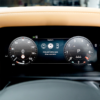
Defender – Advanced Off‑road Capability Pack
Short description: We provide a factory‑grade activation of the Advanced Off‑road Capability Pack for Land Rover Defender. The service fits the extra sensors, updates the Terrain Response 2.0 map, calibrates the electronic rear‑locking differential (ELRD) and validates every function on‑road.
Technical Overview
Land Rover builds every Defender L663 (MY24‑25) with the mechanical base for the Advanced Off‑road Capability Pack. The chassis already carries a low‑speed torque sensor, a rear‑view camera mounting point, a wiring harness for the ELRD and an under‑body protection sensor array. However, the factory disables the software flag unless a dealer runs a coding sequence. As a result, the vehicle runs in standard Terrain Response mode and the ELRD remains inactive.
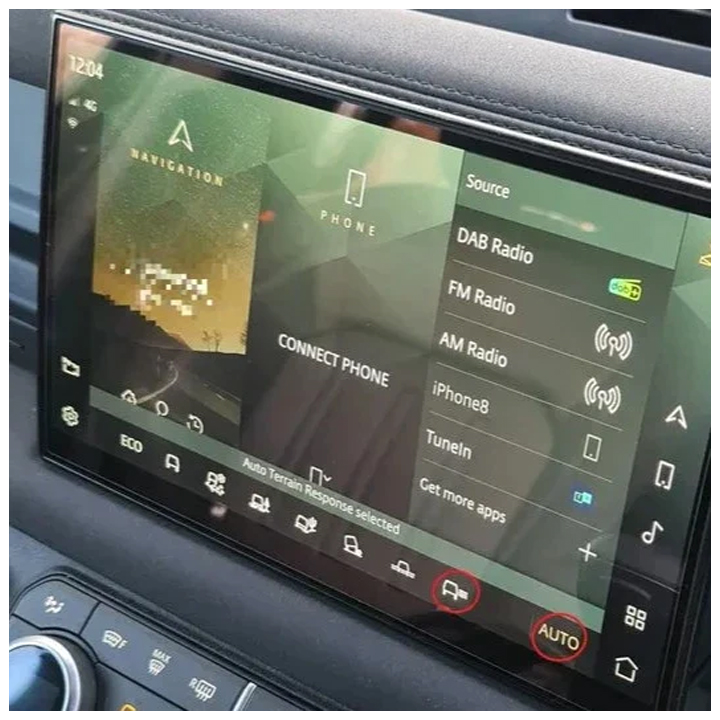
Our activation process unlocks the full off‑road suite. We flash the latest Terrain Response 2.0 map, enable the ELRD, calibrate the rear‑view camera and register the under‑body protection sensors. After completion, the driver gains eight selectable off‑road modes, a torque‑vectoring rear differential and a live low‑speed visual aid on the infotainment screen.
Hardware that ships on a MY24‑25 Defender
- Low‑speed torque sensor – part
8U1185 - Rear‑view camera module – part
8U1210, 1080p, 120° FOV - Electronic rear‑locking differential (ELRD) – part
8U1320 - Under‑body protection sensor array – part
8U1355 - Body‑Control Module (BCM) – part
8U1065, firmware ≥ 5.03
Why Upgrade to the Advanced Off‑road Capability Pack?
The pack delivers three core benefits for adventurous owners:
- Optimised wheel‑torque control: ELRD locks the rear axle on demand, providing up to 30 % more traction on loose surfaces.
- Intelligent terrain selection: Terrain Response 2.0 adjusts throttle, transmission, chassis and differential settings for rock crawl, sand, mud and snow with a single button press.
- Enhanced situational awareness: The rear‑view camera integrates with the off‑road display, showing live obstacles and wheel travel angles while the driver navigates steep descents.
Eligibility & Pre‑Fit Checks
We limit the service to Defender L663 MY24‑25 vehicles that contain the base hardware. Before we begin, the workshop must verify the following items:
- The VIN confirms a 2024‑2025 build (year code “X” or “Y”).
- The BCM part number matches
8U1065and the firmware version is 5.03 or newer. - The low‑speed torque sensor and ELRD wiring harness are present and free of corrosion.
- The rear‑view camera connector is seated and the lens is clean.
- The under‑body sensor harness shows continuity on all four channels.
If any component is missing, we supply the required part and install it as a separate kit.
Activation Procedure – Step‑by‑Step
- Diagnostic connection: We attach a JLR
TechToolcable to the OBD‑II port and open the “Body” and “Powertrain” modules. - Firmware audit: We read the BCM and PCM versions, confirm the presence of the torque sensor, ELRD and rear‑camera, and note the current Terrain Response mode.
- Software enable: In
TechTool → Vehicle Setup → Off‑roadwe tick “Enable Advanced Off‑road Capability Pack”. The tool writes three activation flags (Terrain Response 2.0, ELRD, Camera Assist) to the BCM and PCM and flashes the latest off‑road map (v3.1). - ELRD calibration: We run the “Rear‑Differential Calibration” routine. The system measures wheel speed differentials at 0 km/h, 5 km/h and 20 km/h to set the lock‑up thresholds.
- Camera alignment: We use the “Rear‑View Camera Setup” wizard. The wizard adjusts horizon, focal length and overlay geometry so the live view matches the vehicle’s rear wheel travel.
- Torque sensor zero‑point adjustment: We command the PCM to park the vehicle, release the parking brake and record the sensor’s baseline output. The system stores the zero‑point for low‑speed torque control.
- On‑road functional test: We drive the Defender through three scenarios:
- Activate “Rock Crawl” mode – the ELRD engages, torque sensor limits wheel spin and the infotainment shows wheel‑travel graphics.
- Activate “Sand” mode – the system reduces throttle response and monitors rear‑axle slip.
- Use the rear‑view camera while reversing down a steep incline – the display shows live obstacles and wheel‑travel overlay without lag.
- Documentation: We export a full activation report (VIN, timestamps, BCM/PCM firmware) and hand the owner a printed “Advanced Off‑road Capability Pack Activation Certificate”.
Benefits for Workshops & Fleet Managers
- High‑margin revenue: We charge £489 + VAT for a complete pack activation, which includes diagnostics, firmware updates, sensor calibration and certification.
- Repeatable workflow: The same coding sequence applies to every eligible Defender, so you train technicians only once.
- Regulatory compliance: The ELRD and camera upgrades meet UK/EU type‑approval standards for electronic stability and safety systems.
- Customer loyalty: Offering a factory‑approved off‑road upgrade positions your centre as the go‑to specialist for serious off‑road enthusiasts.
Pricing & Ordering Information
Our standard package includes:
- Full diagnostic session with JLR
TechTool. - Activation of Terrain Response 2.0, ELRD and rear‑camera assist.
- ELRD and torque sensor calibration.
- Rear‑view camera alignment and overlay configuration.
- On‑road functional test covering all eight off‑road modes.
- Electronic activation report and printed certificate.
- 12‑month warranty on all coding, software and calibration work.
Price: £489 + VAT. If the vehicle misses the rear‑view camera, we supply a retrofit kit (part 8U1210) for £159 + VAT.
To place an order, complete the JLRCoding contact form, select “Defender – Advanced Off‑road Capability Pack” and attach a copy of the vehicle’s Service History or VIN verification.
Frequently Asked Questions (FAQ)
- Do I need to replace any hardware?
- No – every Defender built from 2024 onward already includes the sensors, camera mount and ELRD harness. The service only unlocks the software and performs calibration.
- Can I revert the pack later?
- Yes – we use the same diagnostic tools to clear the activation flags. The vehicle returns to the standard Terrain Response map and ELRD disengages.
- Is there a warranty on the activation?
- Yes – we provide a 12‑month warranty that covers any coding errors, sensor calibration issues or software glitches. OEM hardware remains under the standard JLR parts warranty.
- Will the upgrade affect my insurance?
- Most insurers treat the off‑road pack as a safety and performance enhancement and do not change premiums. Nevertheless, you may wish to inform your provider of the upgrade.
Contact JLRCoding Support
Email: support@sx-tool.com
Phone: +38 13823784841
Blog page description: Complete guide to activating the Advanced Off‑road Capability Pack on Land Rover Defender. Includes hardware checklist, JLR coding, ELRD calibration, rear‑camera setup and on‑road validation.
Blog page tags: Defender Advanced Off‑road Capability Pack, Land Rover Defender off‑road upgrade, Terrain Response 2.0, ELRD activation, rear‑view camera retrofit, JLR off‑road coding, JLRCoding